Guide · Process reporting
Operational reports often live in separate process runs. Colba's aggregation node can select completed processes from one template, read chosen fields or table rows, and prepare a summary for the next workflow step.
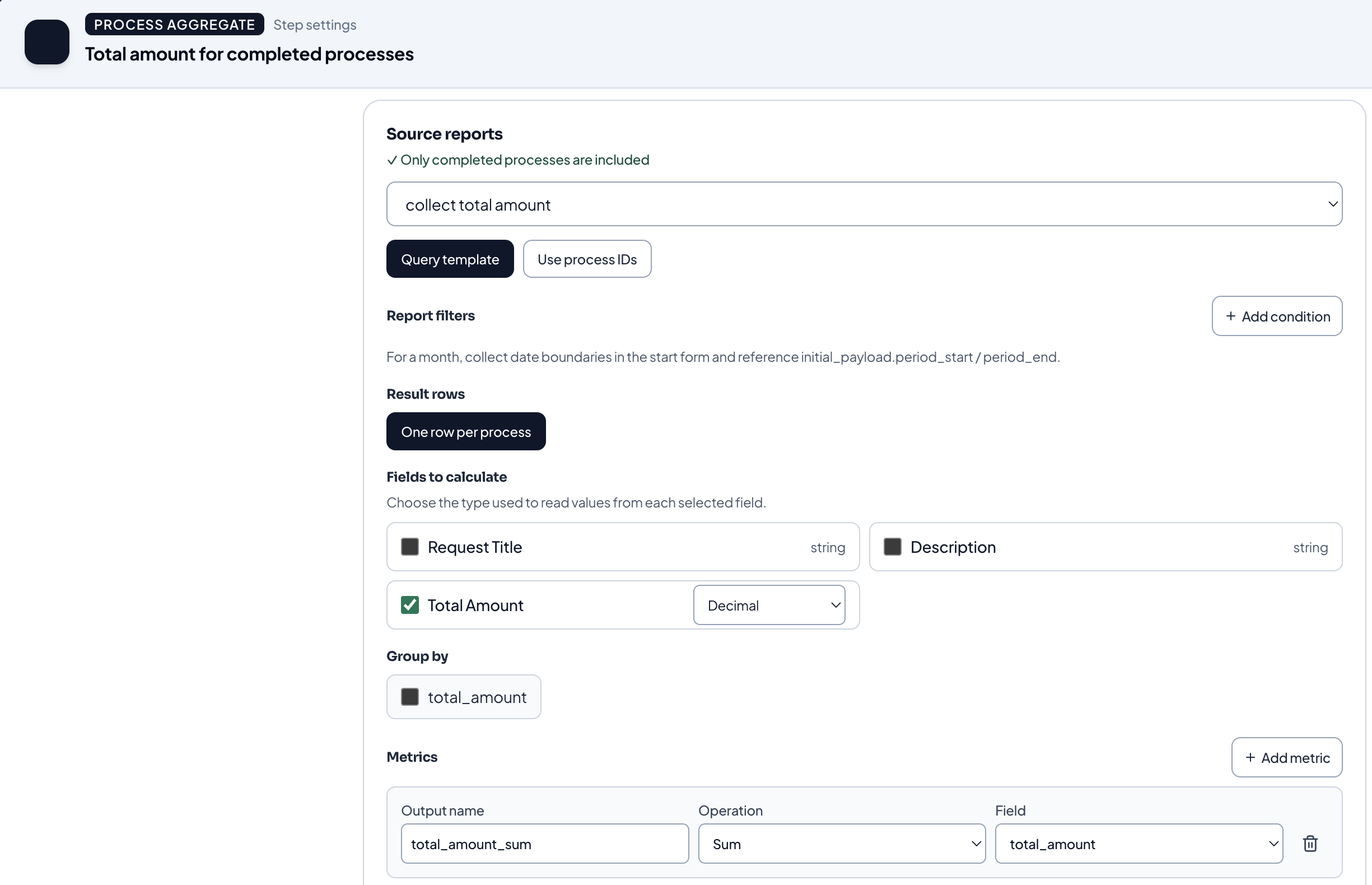
Choose a source and define the calculation
You can query processes that match configured filters or provide an explicit list of process IDs. Both modes read only completed processes from the selected template and the same organization. The node can create one row per process or expand the rows of a selected table field.
Configure the output columns, filters, grouping, and metrics. Supported calculations include sum, average, minimum, maximum, row count, and distinct count. For example, work reports can be grouped by installer to calculate total hours and the number of reports.
Keep the result and its evidence
The node writes its result to fields you select in the current process. Colba also saves a snapshot of the result and its source rows, so reviewers can see which data produced the summary. The editor preview uses the same calculation rules but does not change a process or save calculation evidence.
Handle empty and invalid data
A workflow can take separate routes for a successful result, no matching data, and invalid source values. Route invalid data for review instead of continuing with an incomplete summary. Organizational source queries require organization administrator access.
When aggregation helps
- Summarize monthly work hours by installer.
- Count requests by department or category.
- Total costs or work quantities by project.
Aggregation reads source data and creates a result for the current process. It does not change the source reports, mark them as paid, initiate payments, or start other processes on its own.