Guide · Process automation
Not every process update needs a decision. When a team needs a reminder or a short status message, Colba's notification node sends it to selected recipients and lets the workflow continue to its next step.
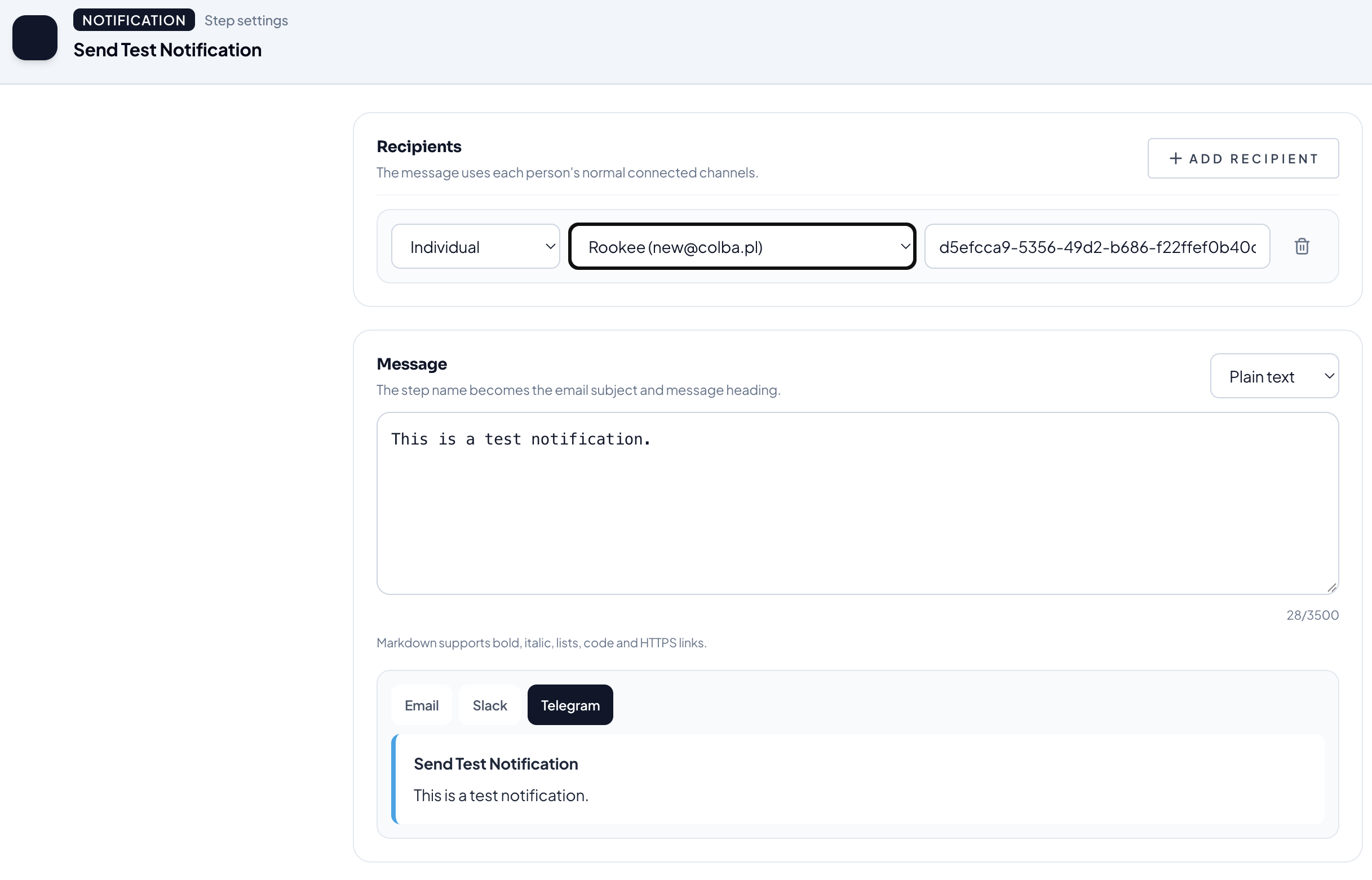
Choose recipients and write one message
You can select recipients by person, department, location, or job title. If the same person matches more than one selector, they receive one notification in each of their enabled, connected channels. Colba respects recipient settings, including do-not-disturb and channel opt-outs.
Write the message once as plain text or supported Markdown. You can add an optional button with a secure HTTPS destination in the app or on the web. The node uses the message and link entered in its configuration; this version does not fill them with values from the current process.
A notification does not create a task
The node does not request approval or add an inbox task. Once eligible deliveries have been durably queued, the process moves on. Queued means the message is ready for delivery; it does not mean it has already been delivered or read.
When to use the node
- Remind a selected group that a process has started or a deadline is approaching.
- Send an update to people who need to know when a process changes stage.
- Share information while allowing the workflow to continue without waiting for a reply.
If someone needs to do work or make a decision, configure a task or approval. Use the notification node to share information.